Project Overview
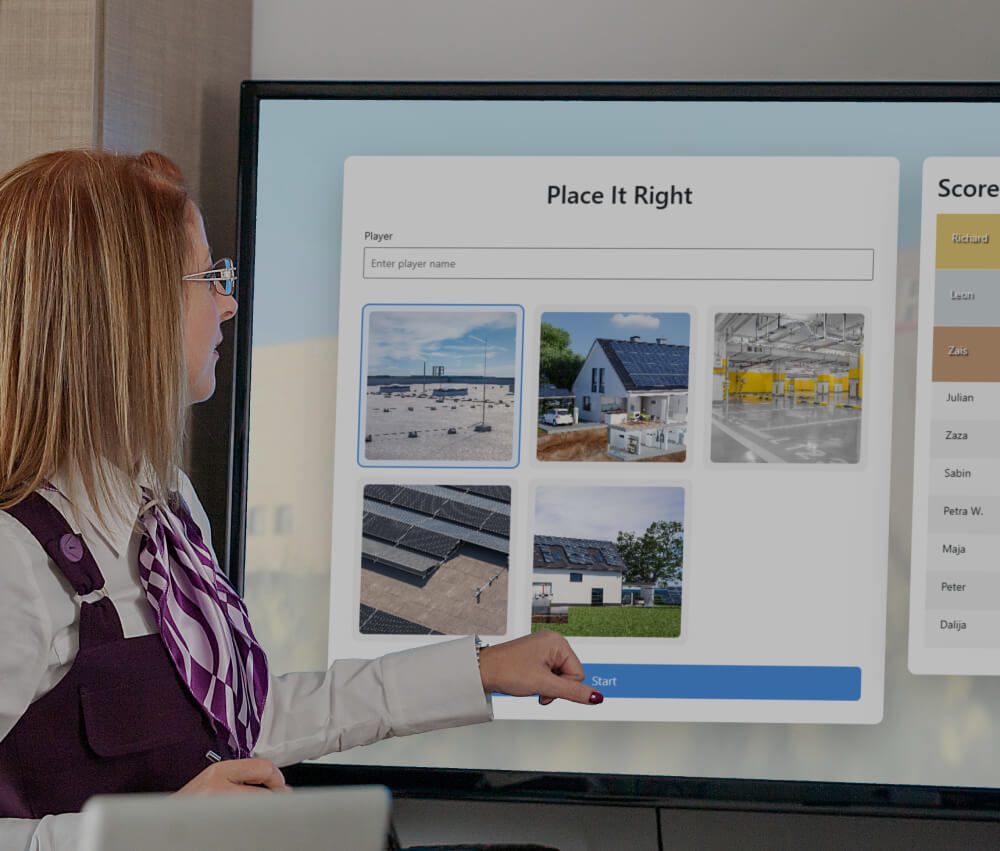
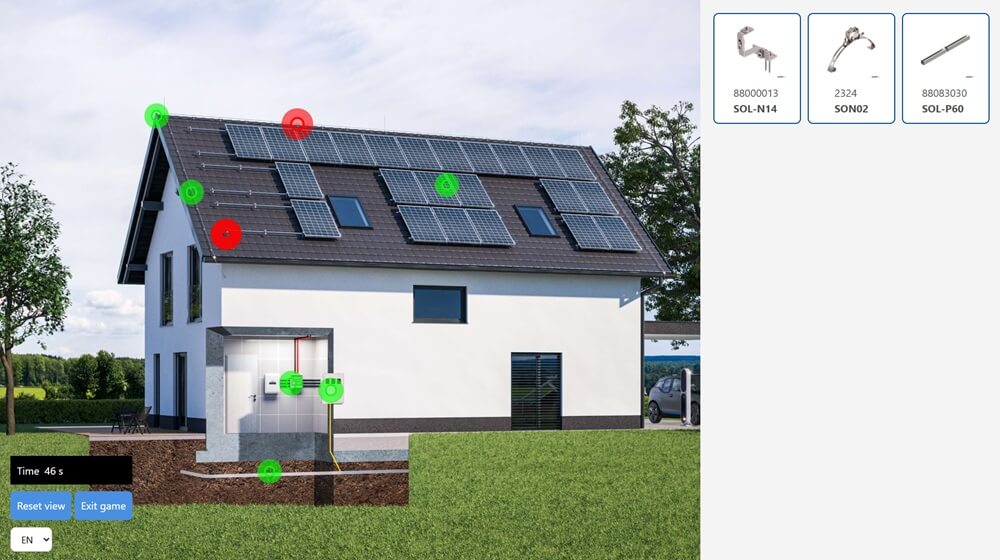
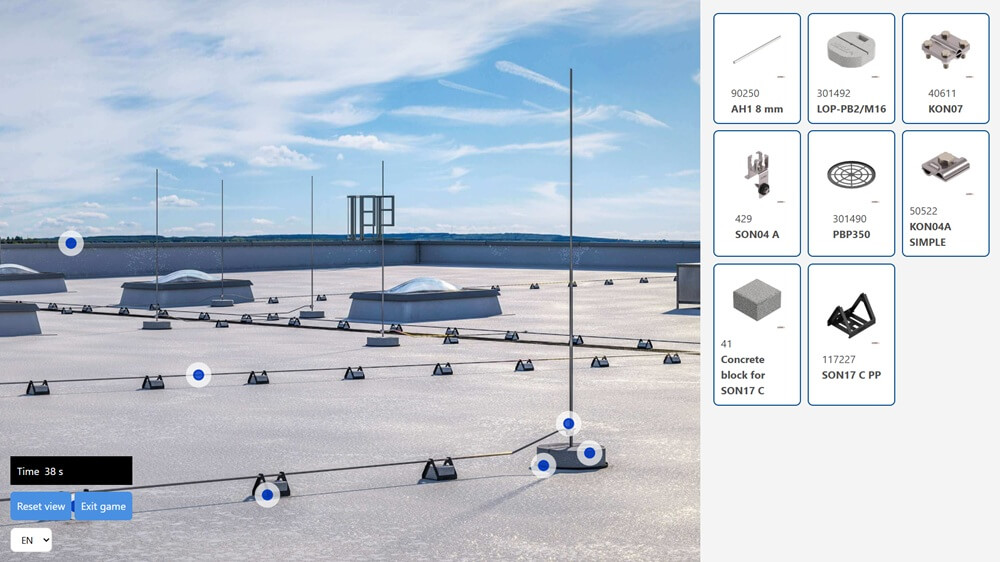
This project is a browser-based interactive learning game where users match items to specific locations on an image using a drag-and-drop interface. The application combines dynamic data loading, responsive UI behavior, and touch-friendly interactions to create a smooth experience across desktop and mobile devices.
The primary goal was to build a flexible, scalable, and device-agnostic system that supports multiple objects, languages, and gameplay configurations.
Try demo
Follow this link to try a demo version of a game:
To demo
Concept & Design
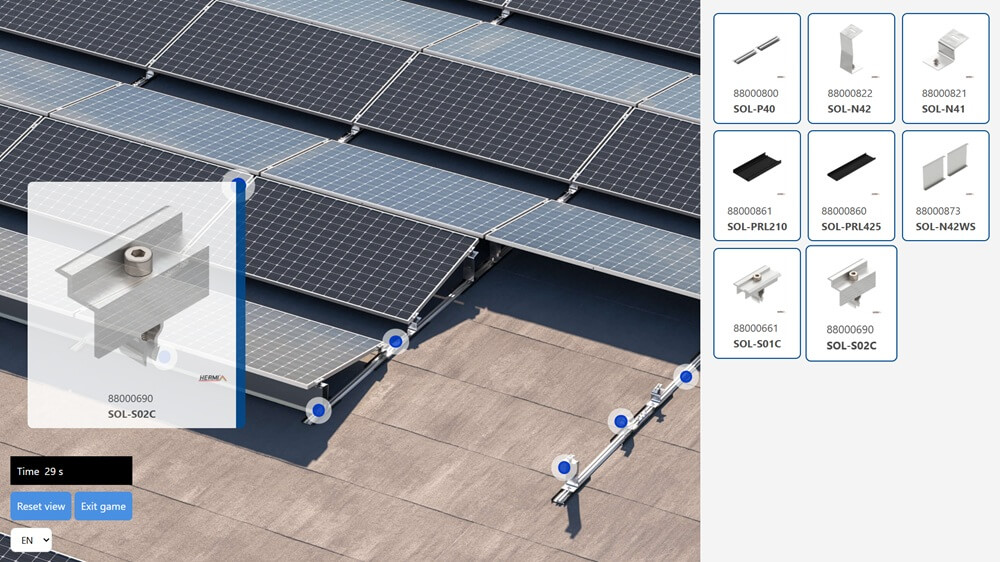
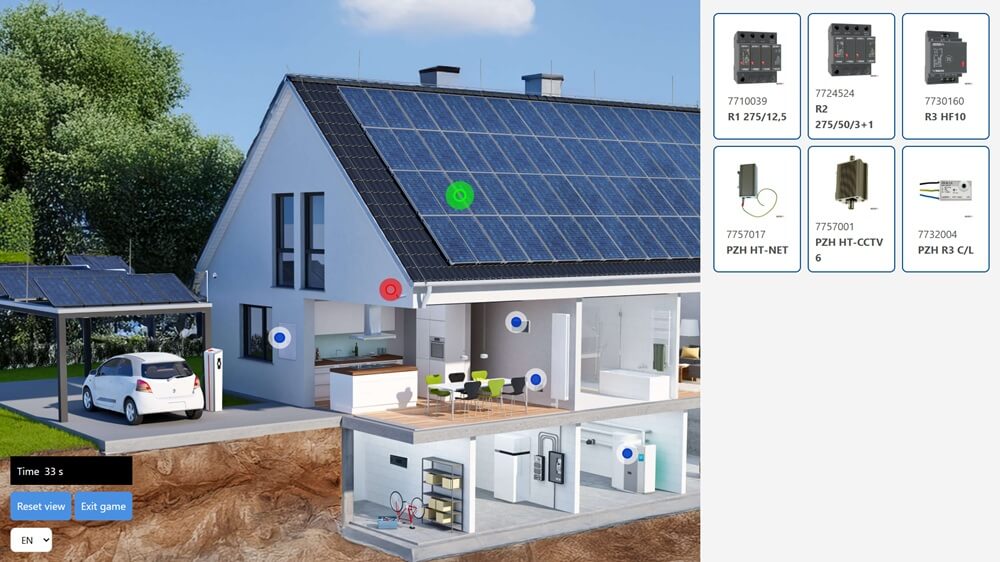
The game focuses on visual learning through interaction. Users drag items from a list and place them onto hotspots on an image.
Key design goals:
- Simple and intuitive interface
- Immediate visual feedback (correct / incorrect)
- Responsive layout across devices
- Replayability through randomized content
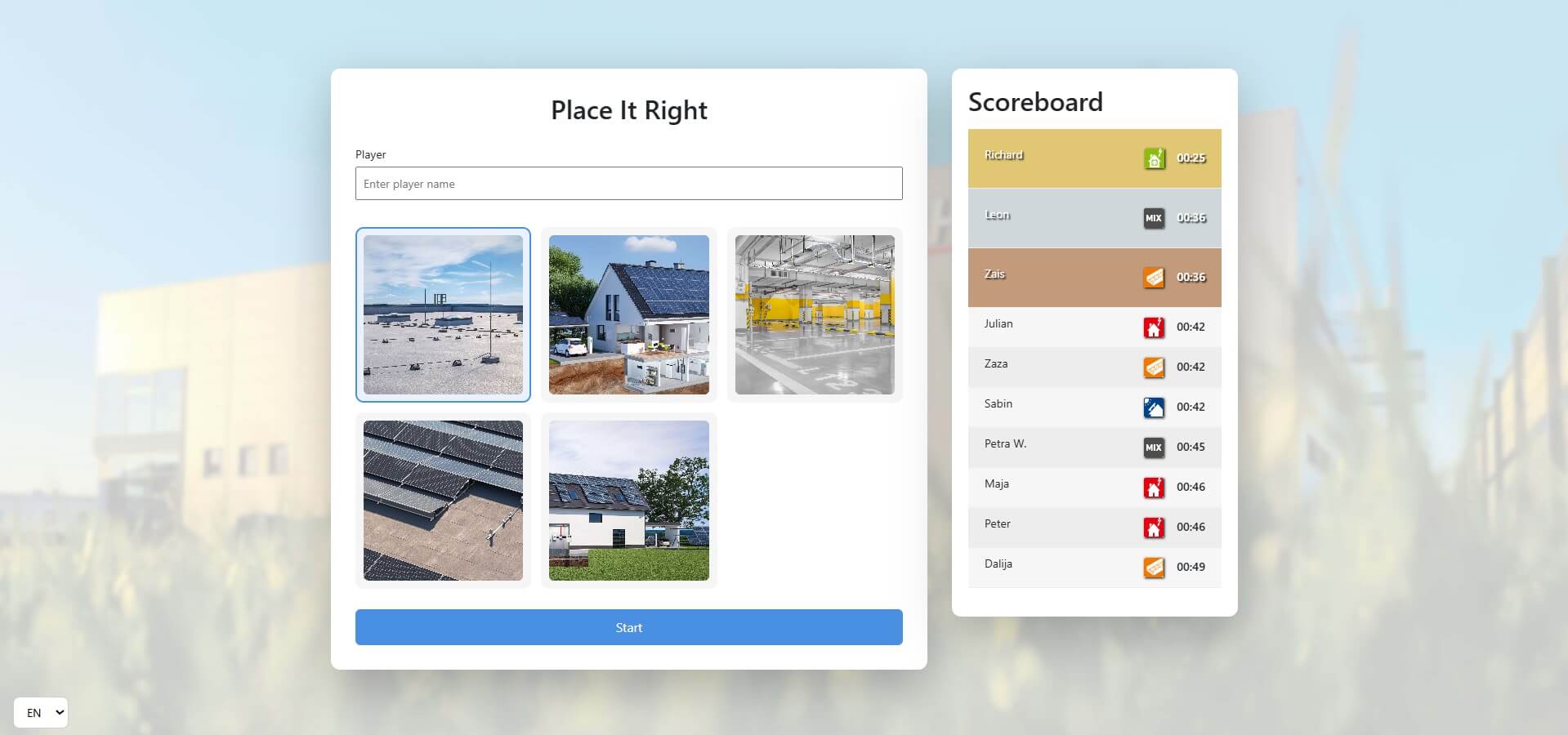
The UI is split into:
- Game area (image + dropzones)
- Item panel (scrollable list)
Additional features like a start modal, scoreboard, and language selector enhance usability and completeness.
Technical Implementation
Data-Driven Architecture (PHP + MySQL)
- Data-Driven Architecture (PHP + MySQL)
- Multilingual support with fallback logic
- Randomized selection of items per game
- Score persistence
Custom Drag-and-Drop System
Implemented using pointer events instead of native drag-and-drop:
- Works consistently across mouse and touch devices
- Uses a drag clone for smooth interaction
- Allows precise drop detection and better UX control
Responsive Positioning
Dropzones use percentage-based coordinates, ensuring correct placement regardless of screen size or image scaling.
A proximity-based drop system improves usability, especially on touch devices.
Touch & Gesture Support
- Full support for touch, mouse, and hybrid devices
- Prevention of default browser behaviors (long-press, image drag)
- Pointer capture ensures stable drag interactions
Zoom & Pan Functionality
- Mouse wheel and pinch-to-zoom support
- Drag-to-pan navigation
- Boundary clamping prevents losing the image
- Reset view and zoom-to-target features
Modular UI & Components
- Dynamically generated items (image + ID + label)
- Interactive dropzones with visual states
- Overlay system for interaction control
- Modal-based UI (start screen, scoreboard)
Internationalization (i18n)
- JSON-based translation system
- Runtime language switching
- Persistent language selection via local storage
Result
The final application is:
- Fully responsive and touch-friendly
- Scalable and reusable across datasets
- Built without external libraries
- Optimized for both UX and performance
Conclusion
This project demonstrates a strong understanding of modern frontend interaction handling, responsive design, and data-driven architecture. It combines technical precision with thoughtful UX design to deliver a robust and extensible interactive experience.